
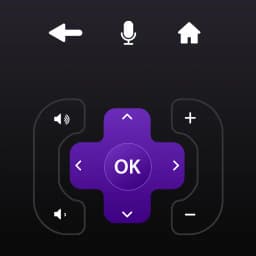
स्क्रीनशॉट
Roku Remote Control for RokuTV के बारे में
Roku Remote Control for RokuTV के साथ अपने Android फोन से अपने Roku TV को नियंत्रित करें। यह ऐप फिजिकल रिमोट की जगह लेता है, जिससे आपको उस डिवाइस से सीधे अपने टेलीविजन का पूरा नियंत्रण मिलता है जो पहले से ही आपके हाथ में है।
रिमोट इंटरफ़ेस सहज और तेज़ प्रतिक्रिया देने वाला है। एक बड़े टचपैड का उपयोग करके मेनू नेविगेट करें, या सामग्री के माध्यम से तेज़ी से आगे बढ़ने के लिए स्वाइप-आधारित जेस्चर का उपयोग करें। एक बिल्ट-इन कीबोर्ड खोज और टेक्स्ट एंट्री को आसान बनाता है—अब छोटे ऑन-स्क्रीन पैड पर अलग-अलग अक्षरों को ढूंढने की जरूरत नहीं। समर्पित चैनल्स टैब के माध्यम से अपने पसंदीदा स्ट्रीमिंग चैनलों तक तुरंत पहुंचें: HBO, YouTube, और अन्य ऐप्स सेकंडों में लोड होते हैं।
अपने फोन की गैलरी से फोटो और वीडियो को हाई डेफिनिशन में अपने TV पर कास्ट करें। SmartCast फीचर आपको Cast टैब पर एक टैप के साथ अपनी लाइब्रेरी से सीधे बड़ी स्क्रीन पर मीडिया भेजने देता है। बस एक टैप, और आपकी सामग्री आपके Roku TV पर दिखाई देती है।
तुलनीय डिवाइस अक्सर मेनू की कई परतों के पीछे नियंत्रण छिपा देते हैं या उपयोगकर्ताओं को अनावश्यक बटन और सेटिंग्स से अभिभूत कर देते हैं। यह रिमोट इस गड़बड़ी को हटा देता है। साफ-सुथरा डिज़ाइन उस पर केंद्रित है जिसका आप वास्तव में उपयोग करते हैं: चैनल एक्सेस, प्लेबैक कंट्रोल, नेविगेशन, और टेक्स्ट इनपुट। चाहे आप स्ट्रीमिंग ऐप्स के बीच स्विच कर रहे हों, वॉल्यूम एडजस्ट कर रहे हों, या कोई शो पॉज़ कर रहे हों, कंट्रोल्स वहीं हैं जहां आप उन्हें उम्मीद करते हैं।
सेटअप सीधा है: अपने Android डिवाइस और अपने Roku TV दोनों को एक ही Wi-Fi नेटवर्क से कनेक्ट करें, और ऐप अपने आप आपके टेलीविजन को ढूंढ लेगा। कोई पेयरिंग कोड नहीं, कोई जटिल कॉन्फ़िगरेशन नहीं—बस ऐप खोलें और नियंत्रण शुरू करें।
प्लेबैक प्रबंधित करने, एप्लिकेशन लॉन्च करने, वॉल्यूम नियंत्रित करने, और अपने फोन से मेनू नेविगेट करने के लिए Roku Remote Control for RokuTV का उपयोग करें। यदि आपने अपना फिजिकल रिमोट खो दिया है या बस एक एकीकृत डिवाइस की सुविधा पसंद करते हैं, तो यह ऐप अनावश्यक फीचर्स या भारी-भरकम इंटरफेस के बिना एक व्यावहारिक रिप्लेसमेंट प्रदान करता है।
फ़ायदे और नुकसान
फ़ायदे
- Touchpad and gesture navigation make menu browsing faster than physical remote
- Built-in keyboard eliminates hunting for letters in text entry
- Cast photos and videos to your TV directly from your phone's gallery
- Automatic TV discovery on same Wi-Fi network—no pairing codes needed
नुकसान
- Requires both phone and TV connected to the same Wi-Fi network to function
- Losing your phone means losing remote access until you retrieve it
- Phone screen stays active while controlling, draining battery during extended use
- No physical buttons means accidental taps can trigger unwanted actions
Roku Remote Control for RokuTV के बारे में अक्सर पूछे जाने वाले सवाल
क्या Roku Remote Control for RokuTV डाउनलोड करना सुरक्षित है?
Unstore पर Roku Remote Control for RokuTV के इस वर्ज़न की मैलवेयर स्कैन रिपोर्ट अभी उपलब्ध नहीं है। केवल भरोसेमंद स्रोतों से फ़ाइलें इंस्टॉल करें और अपने डिवाइस की सुरक्षा चालू रखें।
Roku Remote Control for RokuTV के लिए सिस्टम आवश्यकताएं क्या हैं?
Roku Remote Control for RokuTV Android पर चलता है। डाउनलोड का साइज़ 25.7 MB है।
Roku Remote Control for RokuTV को कौन विकसित करता है?
Roku Remote Control for RokuTV को Snow Peak Apps ने विकसित किया है।
संबंधित ऐप्स

Microsoft PowerToys
Windows यूटिलिटीज़ और प्रोडक्टिविटी टूल्स — सिस्टम टूल्स, विंडो मैनेजमेंट और फ़ाइल प्रीव्यू फीचर्स के साथ अपने वर्कफ़्लो को बेहतर बनाएं।

Windows Essentials 2012
ईमेल, मैसेजिंग, फोटो एडिटिंग, वीडियो क्रिएशन और क्लाउड स्टोरेज—Windows Essentials 2012 में वे सभी उत्पादकता उपकरण शामिल हैं जिनकी आपको आवश्यकता है।

Free Download Manager
डाउनलोड मैनेजर जो ट्रांसफर को तेज़ करता है, फ़ाइलों को प्रकार के अनुसार व्यवस्थित करता है, और Firefox और Chrome के साथ सिंक करता है।

HWiNFO
Windows के लिए हार्डवेयर मॉनिटरिंग—CPU तापमान, GPU लोड, पंखे की गति, वोल्टेज को रीयल-टाइम में ट्रैक करें।

TransMac
Windows पर Mac ड्राइव और DMG फ़ाइलें पढ़ें। APFS/HFS+ स्टोरेज एक्सेस करें और डिस्क इमेज बनाएं।

TestDisk & PhotoRec
खोई हुई फ़ाइलें पुनर्प्राप्त करें और डिस्क विभाजन की मरम्मत करें — Windows के लिए निःशुल्क ओपन-सोर्स डेटा रिकवरी टूल।
नवीनतम लेख

मुफ़्त ऑनलाइन दौड़ने की गति कैलकुलेटर: स्प्लिट, रेस प्रिडिक्टर और दैनिक चुनौती, कोई डाउनलोड नहीं
Oct 6, 2026

फ्री ऑनलाइन रोमन न्यूमेरल कन्वर्टर: तुरंत, कोई साइनअप नहीं, आपके फोन पर काम करता है
Oct 6, 2026

अपने ब्राउज़र में एक मुफ़्त Color Ball Sort Puzzle-शैली का गेम खेलें (कोई डाउनलोड नहीं)
Oct 6, 2026

अपने ब्राउज़र में एक मुफ़्त Beach Buggy Racing शैली कार्ट रेसर खेलें (कोई डाउनलोड नहीं)
Oct 6, 2026

अपने ब्राउज़र में एक मुफ़्त Alto's Adventure-शैली का गेम खेलें (कोई डाउनलोड नहीं)
Oct 6, 2026